Shipping an App Without Writing a Single Line of Code
I’ve been using coding assistants for a while now. Started with Cursor, then moved to Claude Code when it launched. I was pretty confident in using these tools to get work done. Earlier this year, Andrej Karpathy mentioned on No Priors that he hadn’t written a single line of code himself, and Anthropic’s CFO Krishna Rao said that nearly 90% of their code is now written by AI. This made me wonder — how far can I actually push this? At work I mostly do research and prototyping, so production-ready, ship-to-users code was something I hadn’t seriously attempted recently. I picked an idea I’d been sitting on, and decided to not just build it, but ship it to the App Store. Zero knowledge of iOS development or Swift, by the way.
What I learned is that vibe coding has a boundary, and it’s not where most people think it is. The model can write code. What it can’t do is stay aligned with your intent over time. The moment misalignment lands between you and the agent — and it will — the errors compound silently. By the time you notice, it’s often cheaper to throw everything away than to fix it.
This is the story of how I learned that.
The Problem
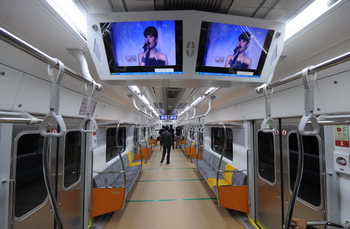
The pain point was simple. I wanted to know where I am while commuting on the subway. If you’ve taken the Seoul Metro, you know: the overhead screens that display the approaching station are either broken or showing ads. There’s a brief moment where they display something useful. If you miss it, you’re waiting 30+ seconds, staring at the screen like an idiot hoping it’ll cycle back. I wear noise-cancelling earphones too, so announcements aren’t an option. And subways are noisy even without them.
I use an iPhone with Dynamic Island. When I order delivery, the app shows real-time status right there on the lock screen and Dynamic Island — Live Activity, as I learned later. I wanted the same thing for my subway ride. Which station am I at? When’s my transfer coming? Notify me when I need to get off.
My initial intuition was: even underground, I can feel whether my train is moving or stopped. My phone should be able to tell the same from its sensors. So I collected sensor data — GPS, gyroscope, accelerometer, barometer — labeled my states, and visualized everything.
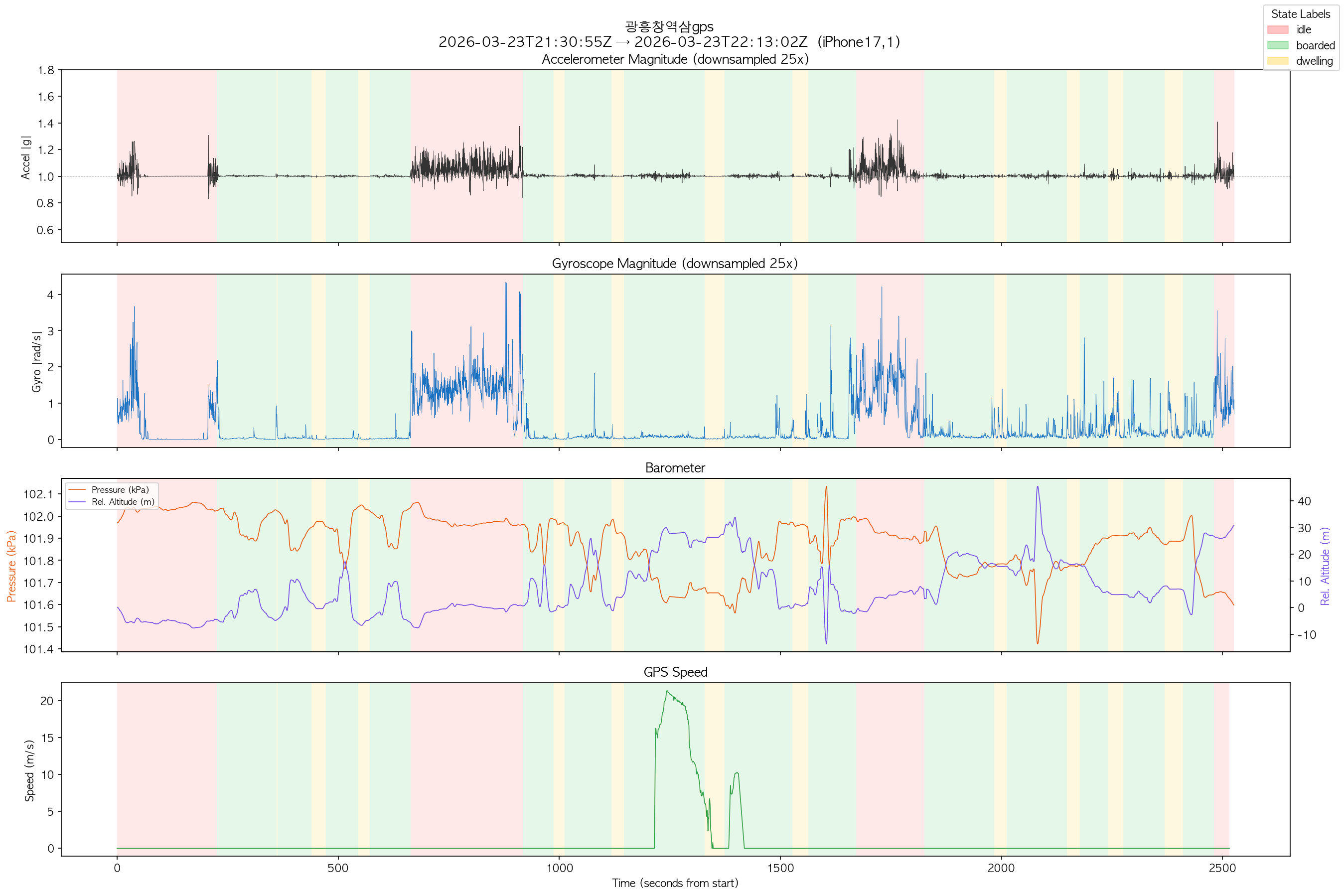
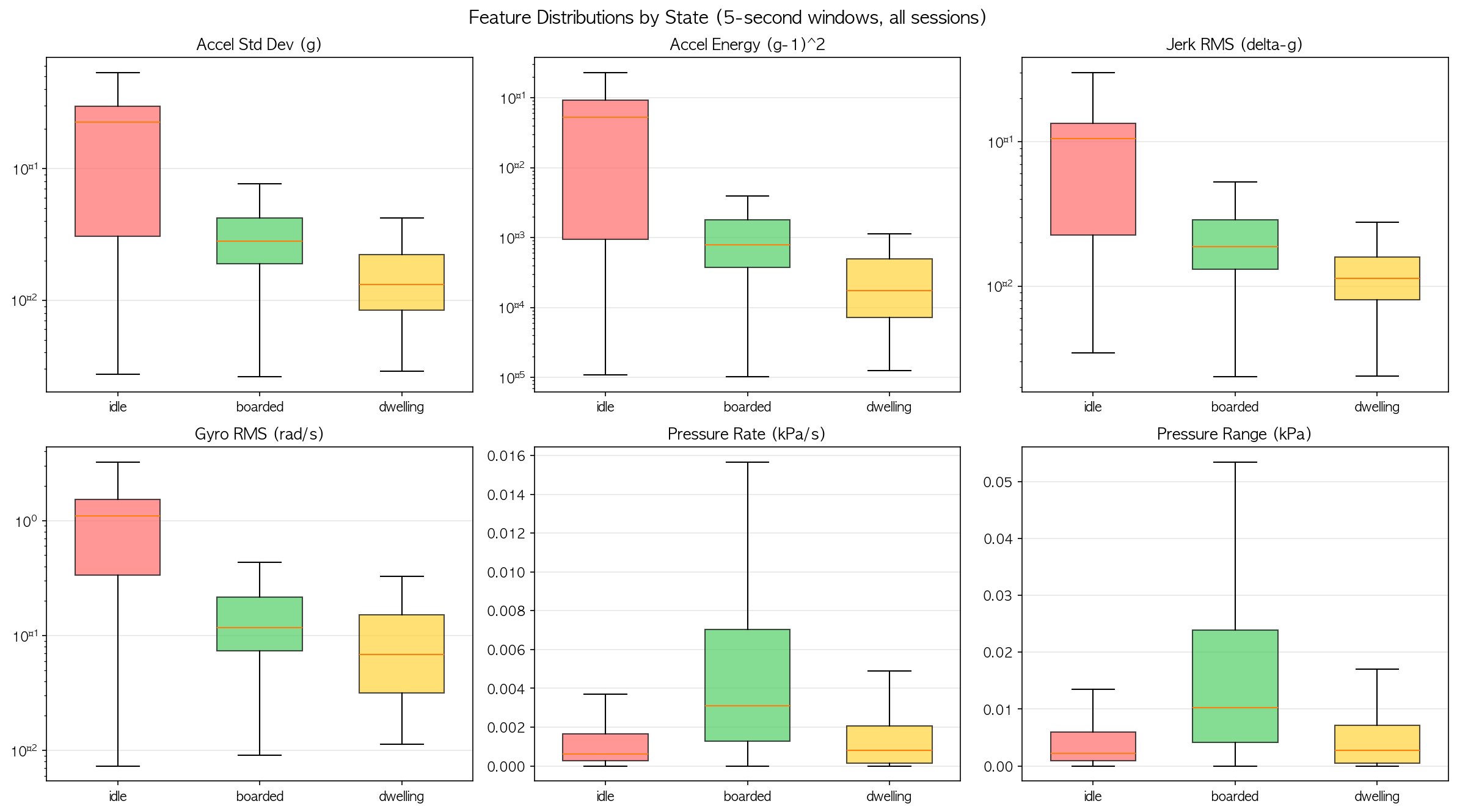
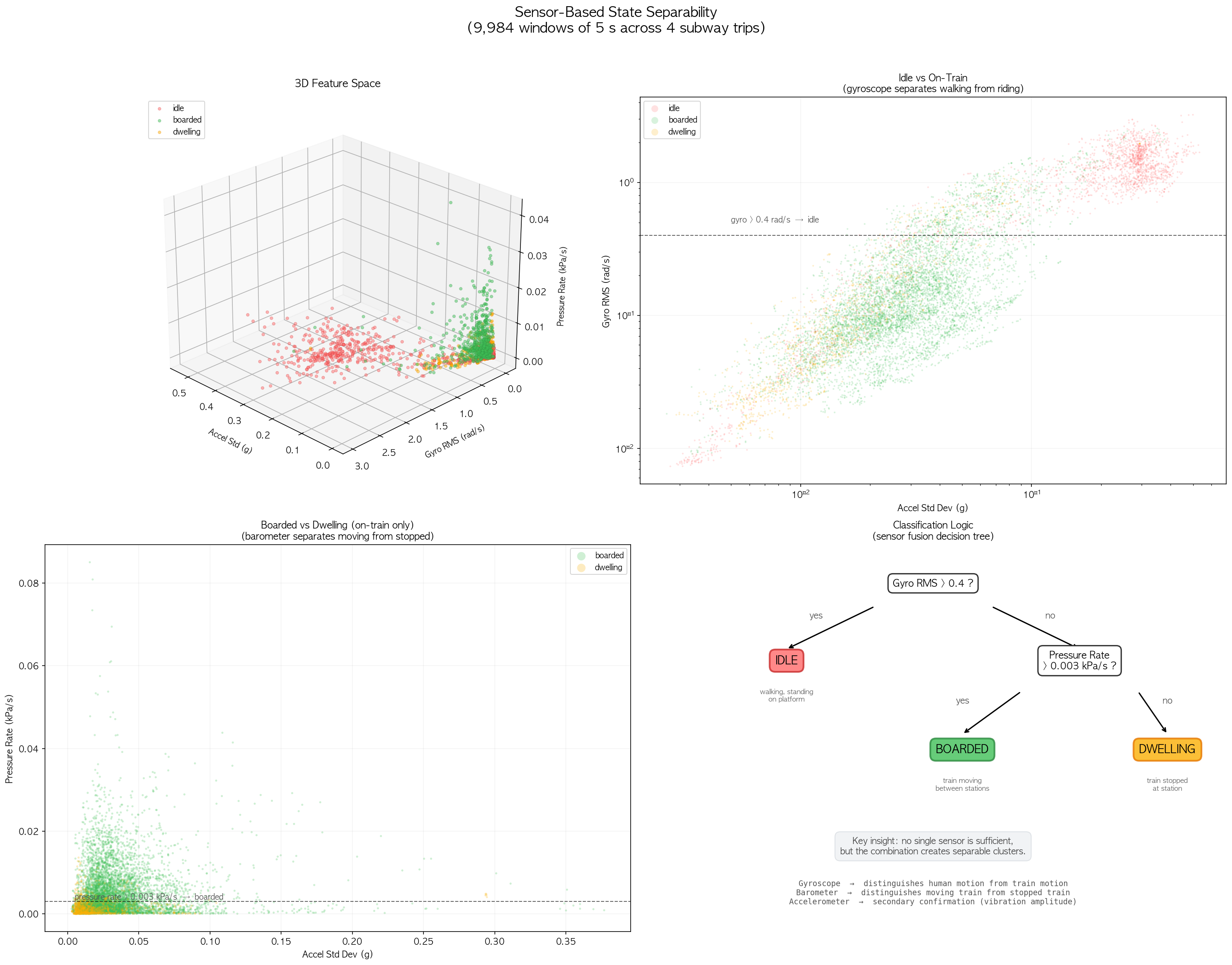
After consulting with Claude about the analysis, we concluded that sensor data alone isn’t reliable enough — but as a supplementary signal on top of Seoul Metro’s real-time train position API, it could robustly determine where the user is. Reconcile the two sources, and you get a reliable state machine.
Good. I had a viable idea. Time to build it.
Attempt #1: One-Shot
By the time I started building (around March 2025), the latest Claude model was Opus 4.6. I thought: why not try to one-shot the entire app with a detailed prompt? I spent time discussing the idea to make it solid — brainstorming features, filling in gaps, resolving ambiguities. The initial interaction began with something like:
Let’s brainstorm an idea together. I want to create an iOS app. Two pain points I want to solve: (1) When you’re in a crowded subway wearing noise-cancelling earphones, it’s really hard to tell which station you’re passing. The monitor shows it only once in a while. (2) When transferring, it’s hard to know when the connecting train is coming. If you could know, you could decide whether to run or walk — but you only get that information once you’re nearly at the platform…
We iterated. By the end of the discussion I had what looked like a valid spec sheet. I wrapped it in a markdown file, imported it into Claude Code, and told it to build the whole thing. It ran for hours. I expected it to produce a working app that just needed refinement.
What it produced was gibberish.
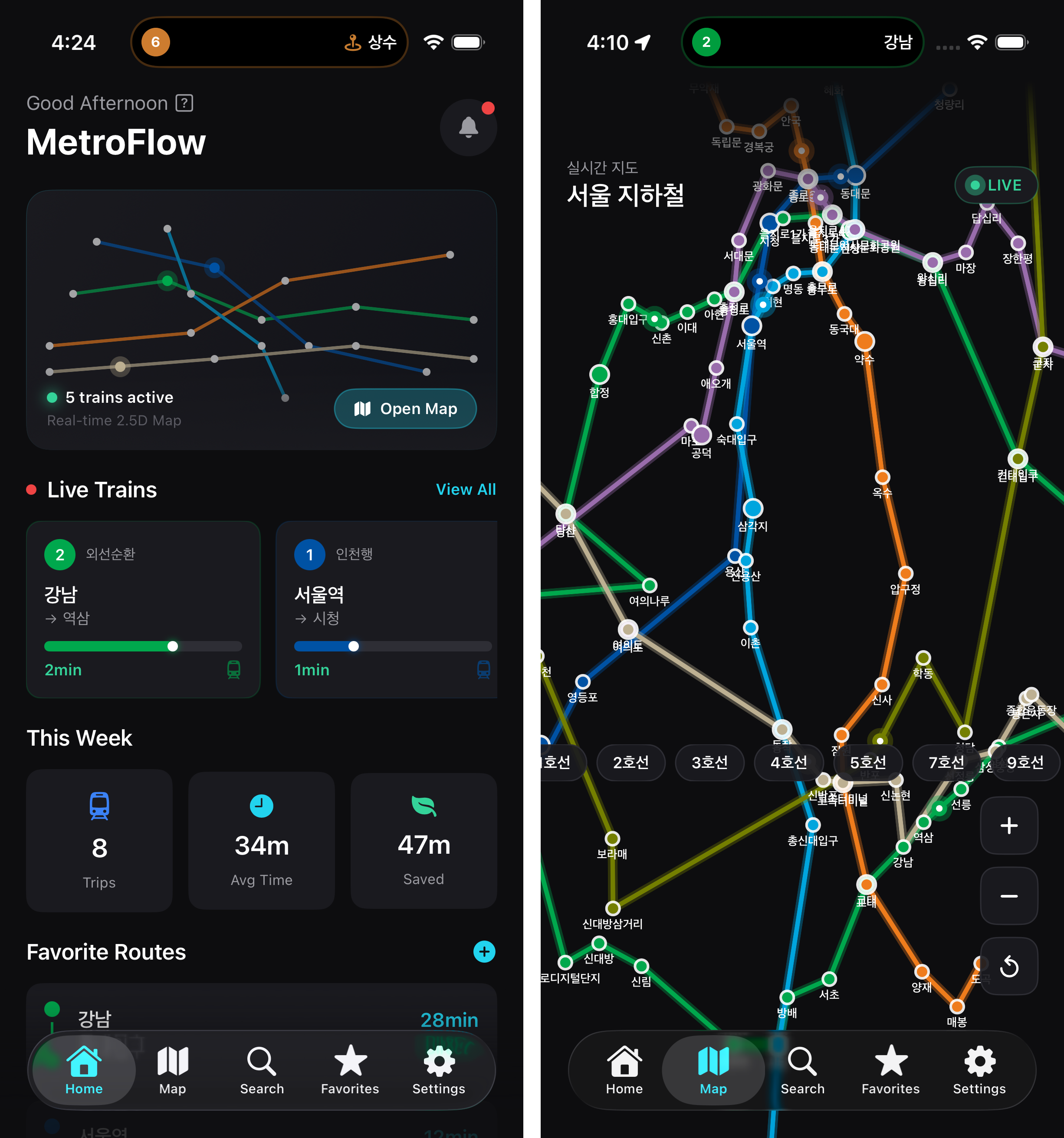
The map was geometrically wrong. Most content was filled with placeholders. It built a demo, not a production app. I wasted millions of tokens. But the interesting part was why it failed — and this turned out to be the most important lesson of the whole project.
The model diverges the moment its plan A hits a wall. When it couldn’t fetch a proper subway map, instead of stopping, it tried to build one from scratch. It ran into the overwhelming number of stations in the Seoul Metro. It drew a few and moved on. When it hit a bug, instead of fixing the root cause, it added a fallback. Then it built the next feature on top of that fallback.
This is the core failure mode of vibe coding: errors compound silently. An error is actually valuable information — it tells you something is wrong. But the model’s instinct is to silence it and keep going. Each workaround becomes the foundation for the next feature, and the whole thing becomes brittle in a way that’s nearly impossible to untangle. By the time I looked at the output, there was no fixing it. The misalignment between what I wanted and what it built had compounded through every layer.
I scrapped the entire thing.
Attempt #2: Incremental
This time I took a completely different approach. No more one-shot. Build incrementally. Test as a user after every meaningful change. Commit at the end of every session.
But before writing a single line of app code, I gathered and normalized all the data I’d need. This alone was a significant effort:
- Most subway lines provide timetables as APIs or spreadsheets, but some (like 서해선) only publish them as images. I built scripts that fetch structured data with code and extract unstructured data using vision language models.
- For route search, I fetched all stations and their connections and built a weighted directed graph — edges as travel times, transfer stations as multiple nodes connected by walking time.
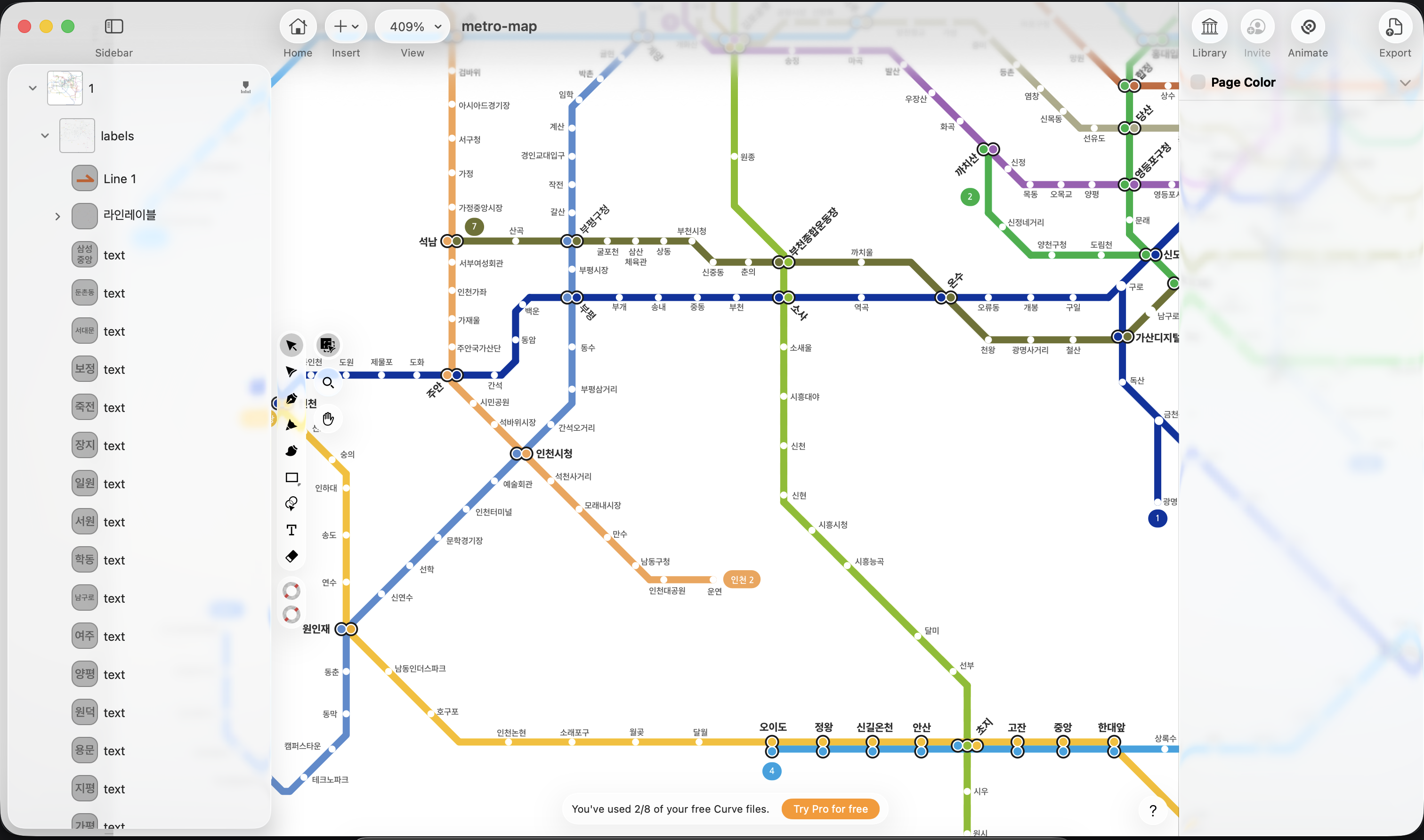
- I had to build my own subway map from scratch because existing ones are copyrighted. I referenced the open-source map on Wikipedia, stylized it, and tried to get AI to align the station labels and graphics. Every model I tried — Claude, Gemini, GPT, Qwen — failed at this. The map was just too large and geometrically complex.
Only after all the data was solid did I start building the app itself. Since the key differentiator from other subway apps was real-time tracking, the first iterations focused on getting that right. Then I moved to UI/UX refinement — and this is where I hit a different kind of wall.
I could sense what people mean when they say taste matters more than ever. The AI can build anything, but it doesn’t know how to build it beautifully. It was extremely hard to align what I had in my mind with what it was producing. I tried design-focused tools — Google Stitch, Claude Design, skills like uiuxpromax — but none were satisfactory. The UI/UX was ultimately done through relentless iteration: test on the device, describe what feels wrong, adjust, repeat.
The tracking feature was hardest of all. It relies on live sensor data, which can’t be simulated in the Xcode simulator. Every test required a real device on a real subway. Each iteration cycle was literally a commute.
The Boundary
I shipped 다음역은 to the App Store without writing a single line of Swift. But I want to be honest about what that actually means and where the boundary lies.
Vibe coding looks like “anyone can ship anything.” That’s half true. The model genuinely can write code — complex code, code in languages I don’t know. But there are three things it cannot do:
It can’t stay aligned with you over long tasks. The longer a session runs, the more the model’s internal understanding drifts from yours. It makes small, reasonable-looking decisions that aren’t what you meant, and each one shifts the foundation for everything that follows. This is why my one-shot attempt failed so catastrophically. It’s also why committing after every session matters — not because the code is perfect, but because it gives you a clean rollback point for when the drift becomes visible.
It can’t recover from its own mistakes cleanly. When you ask the model to fix something in a codebase it built, it gets biased toward the existing code. It tries to patch rather than rethink. It’s reluctant to delete what it wrote. I found that it was often better to revert all changes and re-explain what I wanted from a clean state — or in the worst case, start over from scratch. The agent treats its own legacy code the same way human developers treat theirs: with too much attachment.
It doesn’t have taste. It can implement any UI you describe, but it can’t tell the difference between a UI that works and one that feels right. Spacing, animation timing, the weight of a button — these require human judgment. This was the most time-consuming part of the project, and the part that no amount of prompting could shortcut.
The real skill in vibe coding isn’t prompting. It’s recognizing when the agent is drifting before the misalignment compounds. It’s having the discipline to stop, revert, and re-align rather than letting the model paper over the cracks. And it’s knowing which parts to delegate and which parts to hold onto — because some things, like a subway map that makes geometric sense or a UI that feels right under your thumb, still require a human in the loop.